What is a dieline?
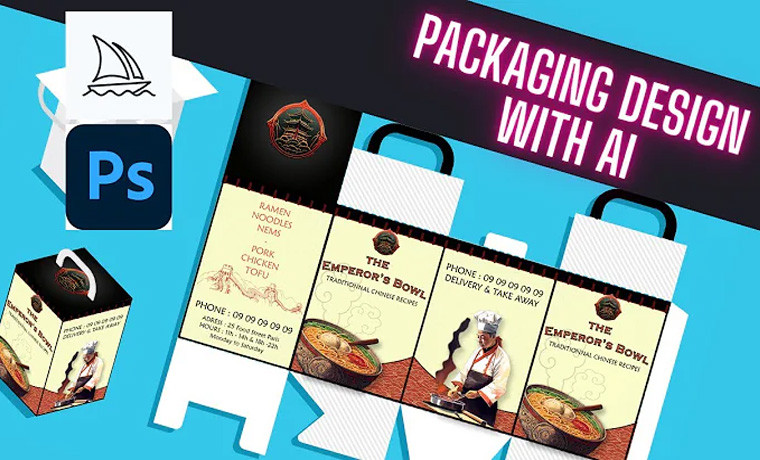
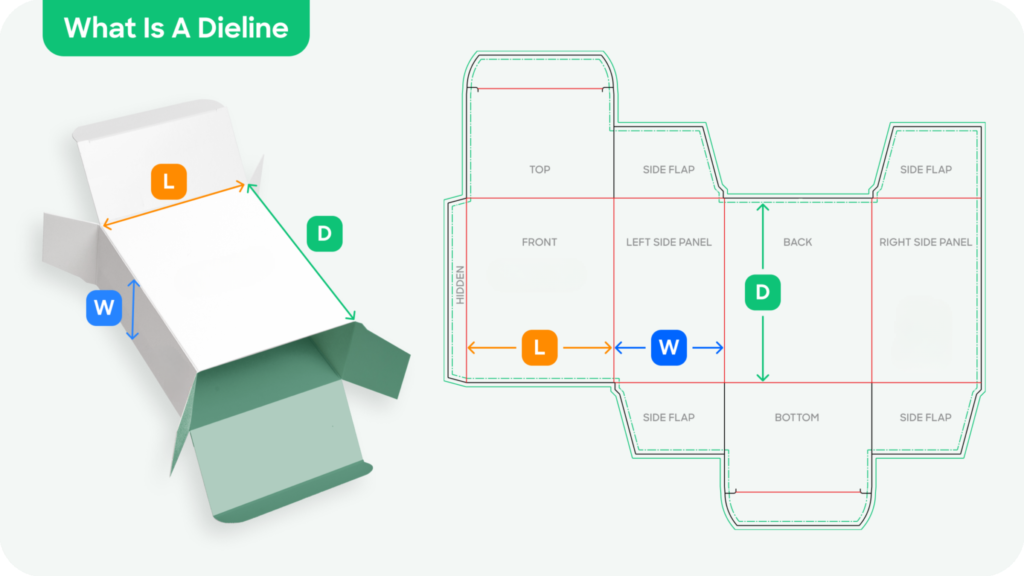
A dieline is a template or guide that shows the shape and dimensions of a box or other packaging product. Designers and manufacturers typically use it to create packaging products, and it can be created using specialized software or a dieline generator tool.
What is a dieline generator?
A dieline generator is a tool that allows users to create custom dielines for packaging products. These tools often offer a range of features and customization options, including different box types and sizes, and can be used to generate industry-standard dielines.
How do I create a dieline?
To create a dieline, you can use a dieline generator tool or specialized software. Dieline generators are easy to use and offer step-by-step instructions for creating dielines. Alternatively, you can manually create a dieline using a ruler, pencil, and paper; or specialized software.
What are the different types of dielines?
There are many kinds of dielines, including standard retail boxes, boxes with locks, hanging retail boxes, and other folding cardboard boxes. The type of dieline you choose will depend on your specific needs and the packaging product you create.
How do I customize a dieline?
To customize a dieline, you can use a dieline generator tool or specialized software. Many dieline generators offer a range of customization options, including different box types and sizes, and allow you to enter your own dimensions to create a custom dieline.
Are dieline generators free?
Some dieline generators are free to use, while others may have associated costs. It is worth checking and comparing different dieline generators to find one that meets your needs and budget.
Is a dieline file required for every packaging design?
Yes. A dieline file helps designers set up the print file correctly, but is also used to help create a cutting tool that commercial printers use to cut sheets of paper into a desired box shape and size.
Is the dieline changing with the printer?
No. The same dieline file can be used to create print-ready artwork and it can be supplied to any printer. However, if you are changing your print supplier they will most likely charge you for the diecutting tool manufacturing.
Are Cutline and Dieline both the same?
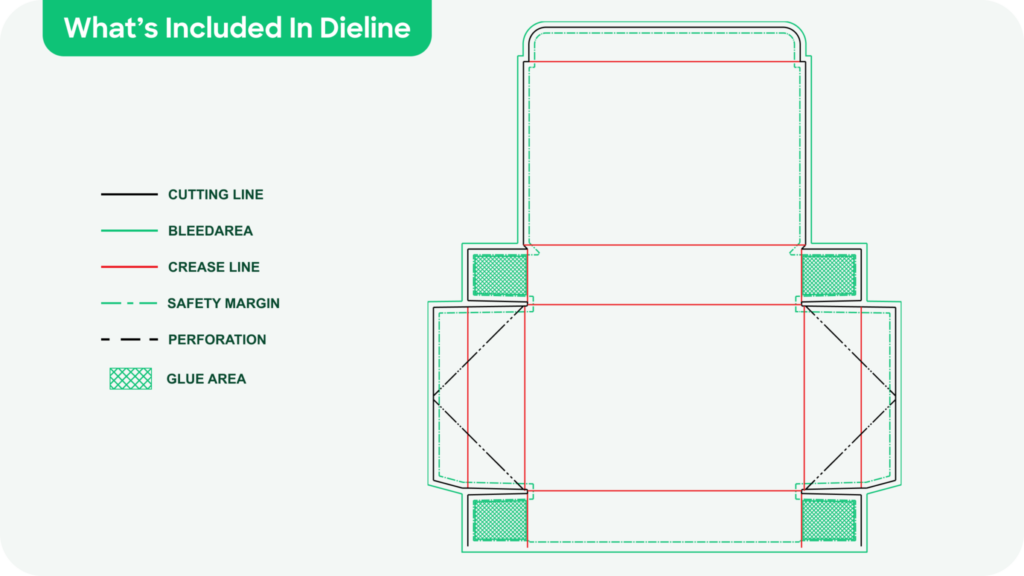
Cutline is part of the dieline. There are cut lines, fold lines and perforation lines marked on the Dieline.
Which software should I use to open the dieline and create my design?
The generated dieline file is in PDF format. It is recommended to use Adobe Illustrator to open this dieline file and create your artwork. Once the design is done, the print-ready file should be exported as a PDF file.

Custom Packaging, Crafted for Your Brand
Tailored designs, quality builds, and hassle-free service. Start your custom packaging journey now!